
Add-on, £29 a month
RFIs, submittals and the drawing register, in one place
Site Control keeps your RFIs, instructions, submittals, drawings, transmittals, meetings and actions in registers that show who is holding each item and when it is due. People outside your company answer by email link, with no login.
Best for: Main contractors and commercial teams who run a lot of paperwork between the design team, the client and the supply chain.
Questions, instructions and approvals
RFIs
Raise a request for information, send it to the person who can answer, and see who it is waiting on. Each one has a reference, a due date and a history.
Instructions
Log instructions you receive and issue your own site instructions, each with a reference and revision. You can link an instruction to the RFI, drawing or variation it relates to.
Submittals
Track shop drawings, product data, samples, test certificates and O and M manuals through each revision. The record shows what came back and when.
Links and watchers
Link related items so the thread is easy to follow. Add watchers to an RFI or instruction so the right people hear about it, but only people who can already see the item.
Drawings and transmittals
A drawing register
Keep every drawing with its number, title, revision and status code. Load many drawings at once instead of one by one.
Revision history
Each drawing keeps its earlier revisions, so you can see what changed from one to the next.
Transmittals
Issue a set of documents with a transmittal sheet that states the purpose of the issue. The sheet is kept as a PDF, so you can show what you sent and to whom.
Acknowledged by link
Ask the recipient to acknowledge a transmittal from an emailed link. You see who has confirmed receipt and who has not.
Meetings, actions and reply links
Meetings and minutes
Set up progress, design team, subcontractor and other meetings, write the minutes and issue them as a PDF. Minutes are written by your team, not generated.
Actions with owners
Every action is numbered, has an owner and a due date, and stays open until someone closes it. Open actions are easy to chase.
Reply links
Send a link by email and the person answers an RFI, reviews a submittal or acknowledges a transmittal with no account. Each link is for one reply, one person and one item.
Register PDFs
Print any register to PDF, filtered the way you need it, for a meeting or a client pack.
The real app
On the phone and at the desk
Big buttons on site. Tables, filters and every record side by side in the office.


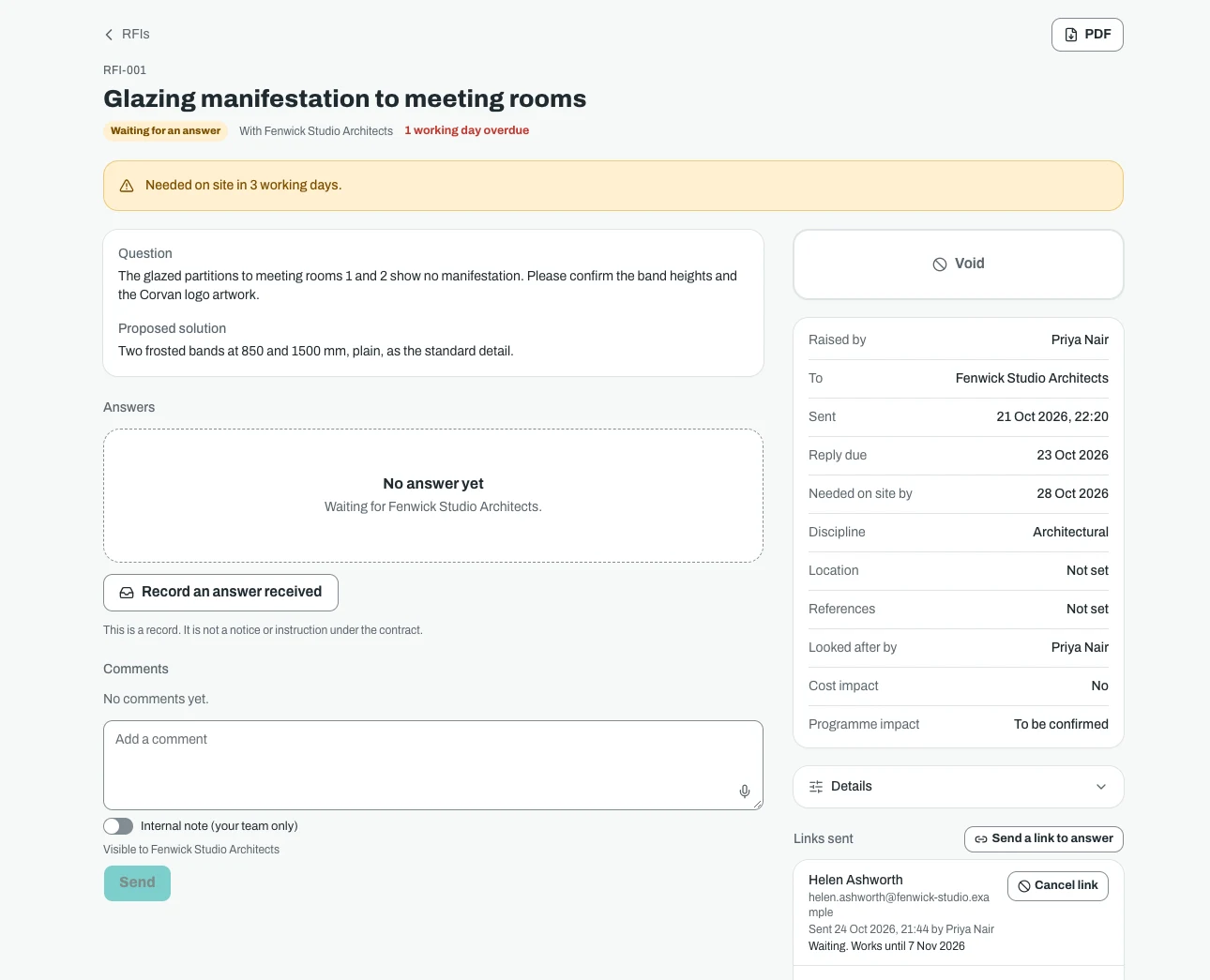


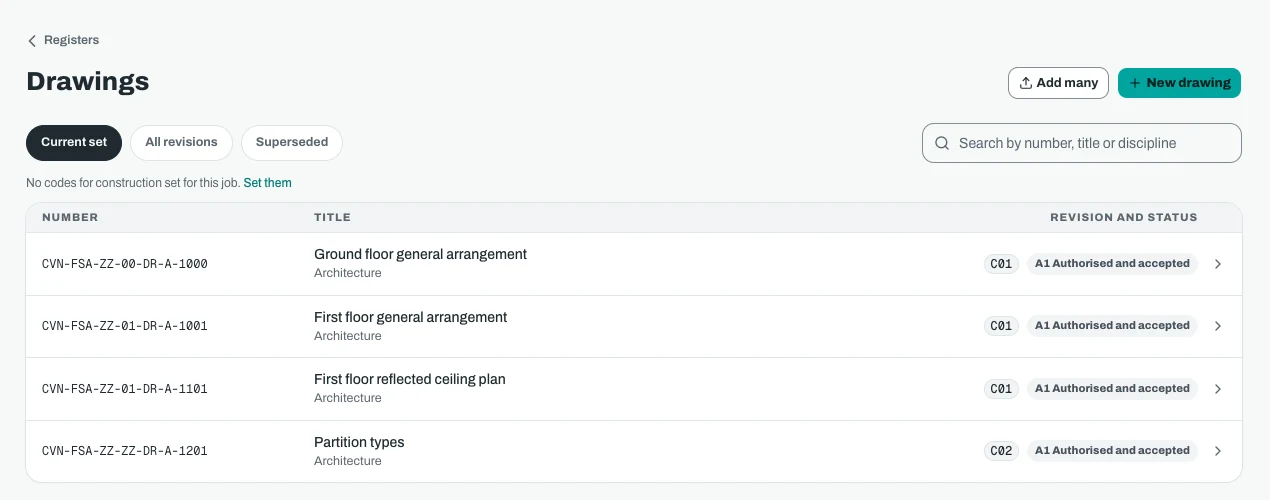


Screenshots show demo data.
Price
What Site Control costs
Every add-on is on while you try Sitestack. Keep the ones you use.
What it does not do. Sitestack keeps the record of who asked, who answered and when. It does not decide who is right or give contract advice. Due dates are worked out from the periods you enter, so check them against your own contract.
Site Control
£29a month
or £290 a year, ten months for twelve. Ex VAT.
- A flat price for the whole company, not per seat
- The same price on Starter, Growth and Scale
- Included free on Scale
- Switch it on or off from the billing page
Questions
Site Control: what people ask
How much does Site Control cost?
Do people outside my company need to pay or log in?
Does a reply link work more than once?
Can I get my registers out as PDFs?
Does it record meetings?
What happens if I switch Site Control off?
Related
Works well with
- In every plan
Variations
Certified by the client or a consultant before the work starts.
More about Variations - £29 a month
Handover and Reporting
Handover packs, aftercare, social value and a dashboard.
More about Handover and Reporting - £59 a month
Contracts and Money
JCT and NEC4 administration, payments and cost.
More about Contracts and Money
Start your 14 day trial
14 day free trial. Every tool is on while you try it. Your card is taken at sign up and nothing is charged until the trial ends.